
Connect a bank account
Start a supported bank feed or prepare a manual bank account.
Use Bank Accounts to search for your bank and start a supported bank-feed connection.
Connect your bank
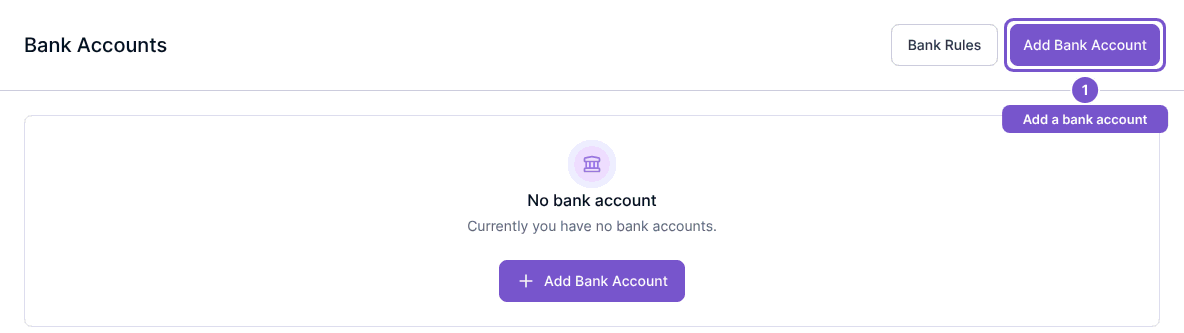
- Open Bank Accounts.
- Select Add Bank Account.
- Search by bank name or BIC.
- Choose your bank.
- Select I agree to GoCardless’s end user terms of service.
- Select Connect now.
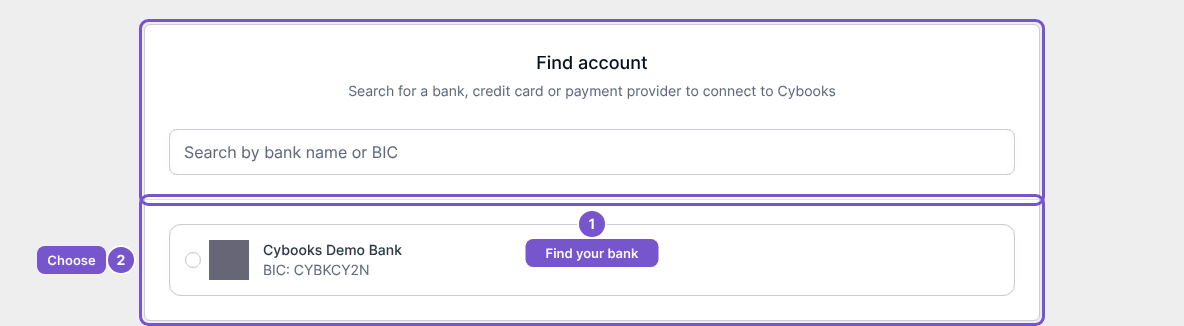
Cybooks requests an authorization URL and opens it in your browser. Follow the bank's authorization flow for the intended account. If the connection cannot start, Cybooks shows Cannot connect to bank at the moment. Please try again later.
Prepare a manual account
From the connection page, use the manual-account option to open Add Account. Review Bank name, Account name, Account type and Currency before using Add Account. Back returns to the connection page.
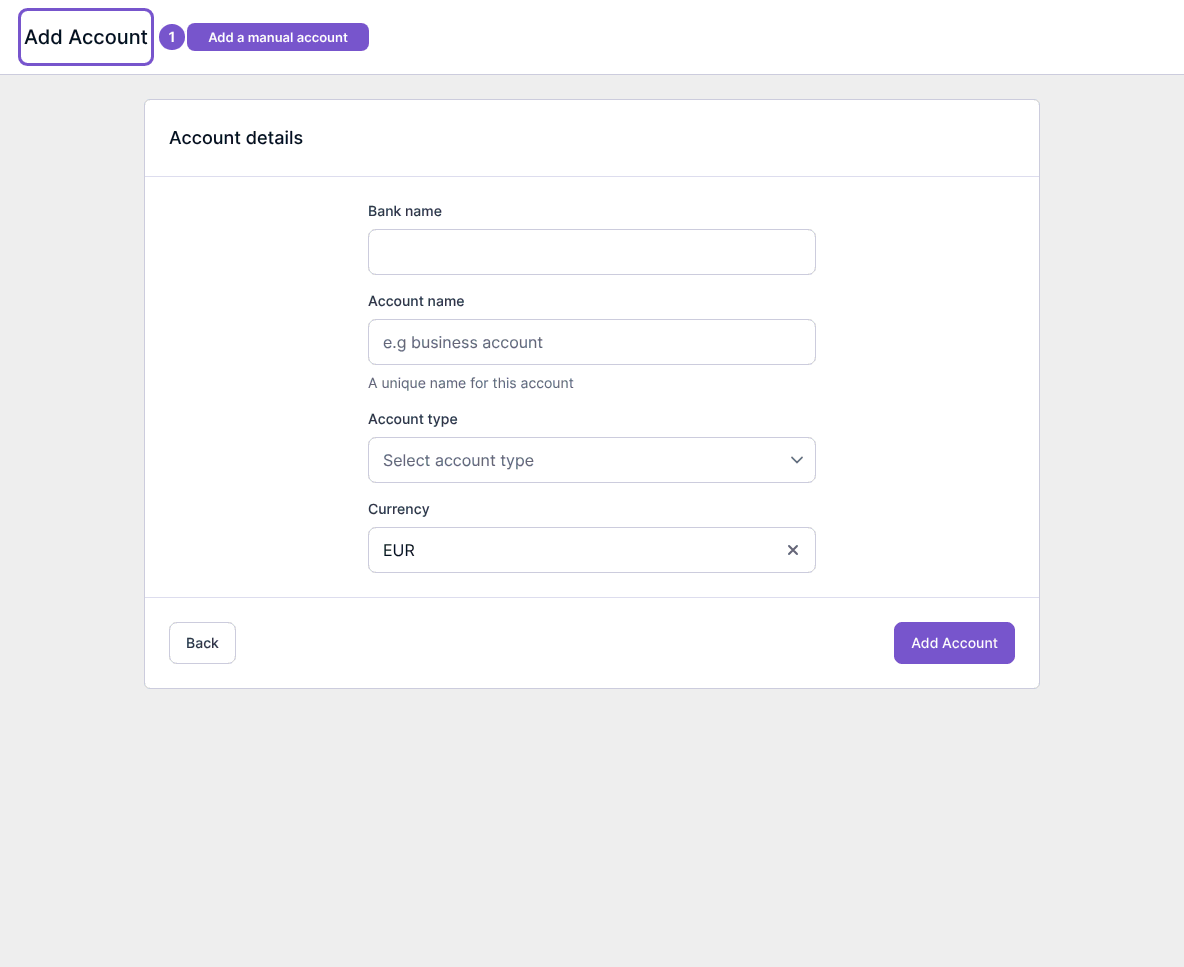
Opening this form does not create an account. A manual account is also different from authorizing a provider feed: filling its details does not connect your bank for automatic transaction imports.