
Find manual journals and inspect a journal form
Review the manual journal list and the details of a journal before making changes.
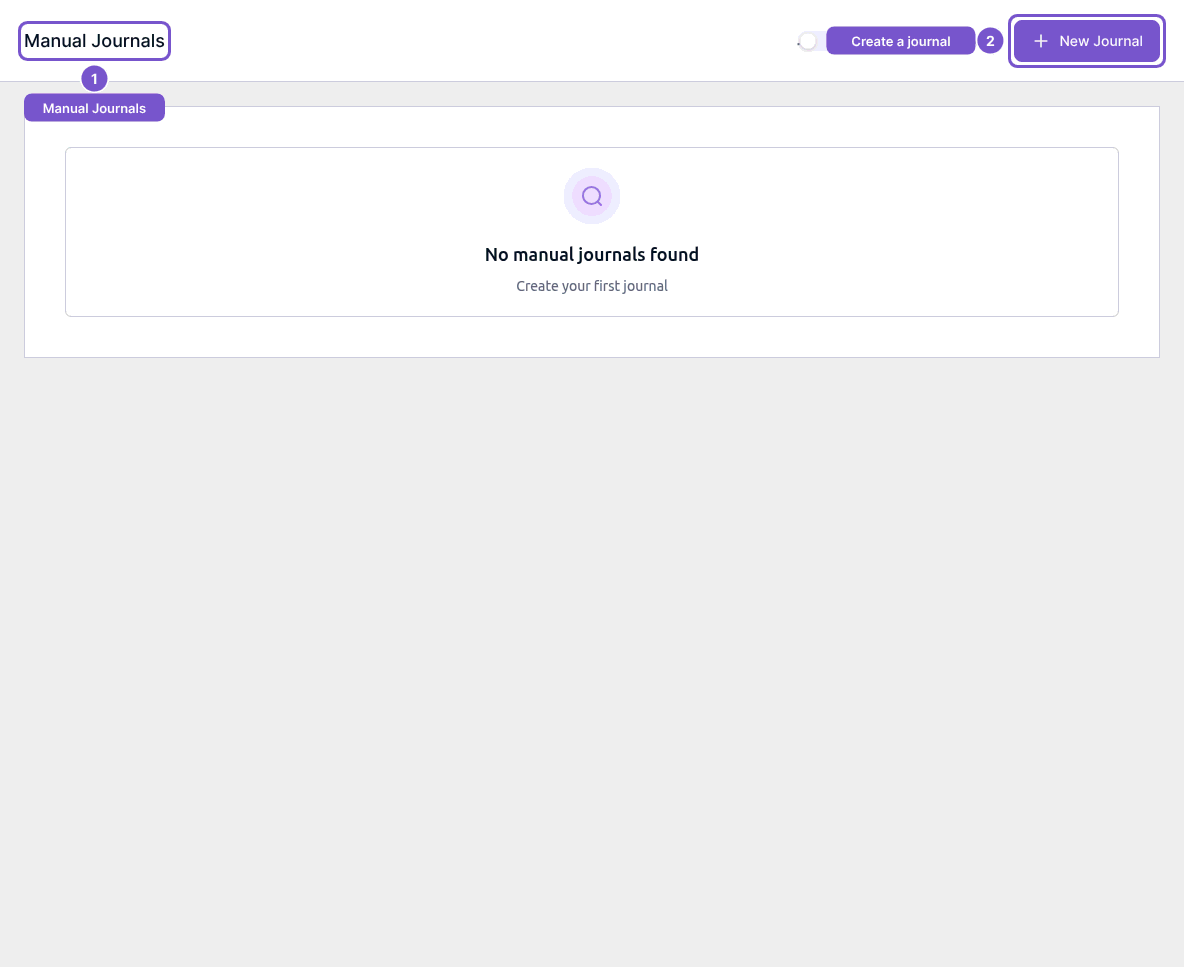
Manual Journals is the starting point for reviewing manually entered journal records.
- Open Manual Journals.
- Review the list. No manual journals found means there are none in the displayed view.
- With create access, New Journal opens a new journal form. With update access, open the intended existing journal to inspect Edit Journal.
In the editor, check Notes, Date, Currency and Reference Number, then review the account, debit, credit and tax fields on every line. Check the totals before deciding whether a change is appropriate.
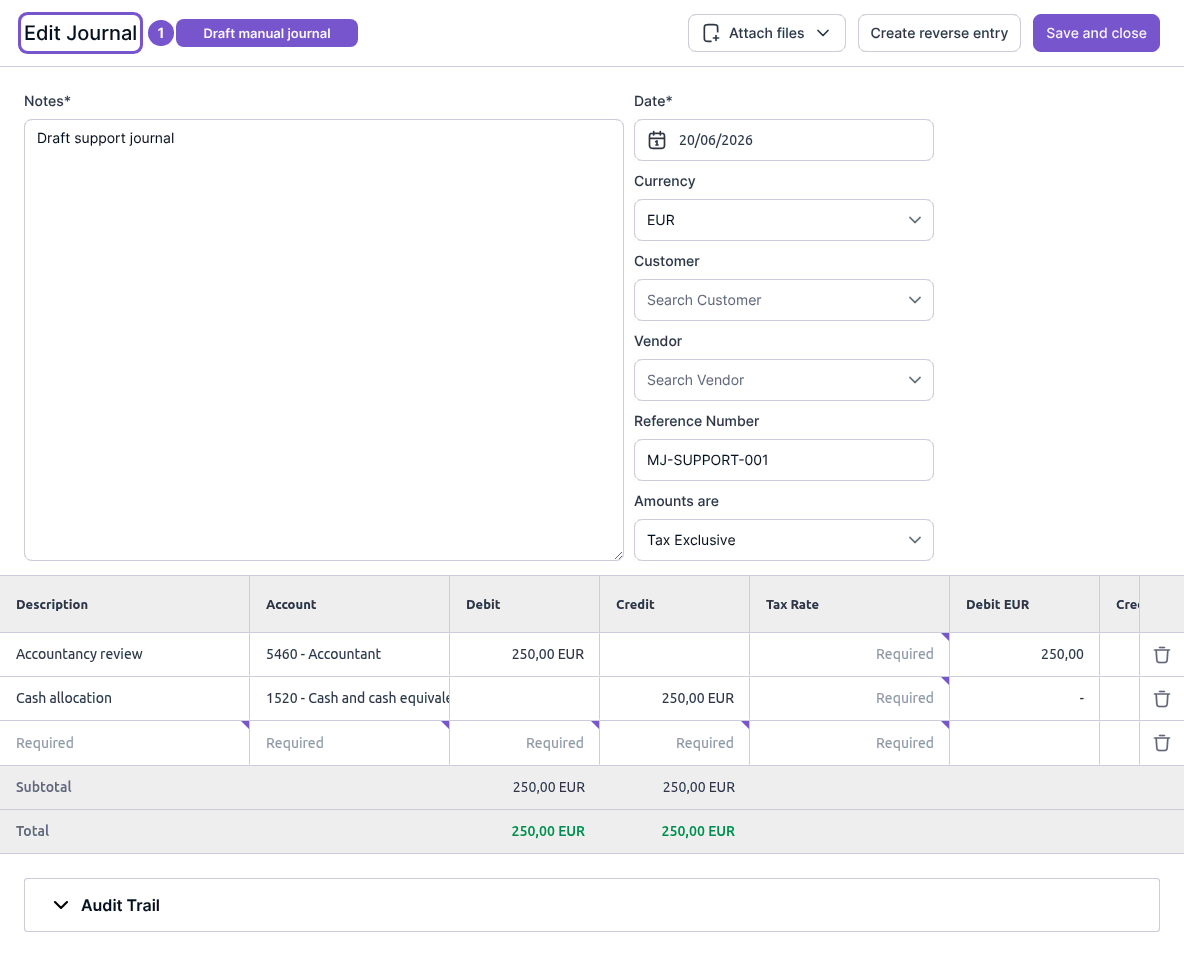
Opening an editor does not save or post a change. Save and close and Create reverse entry are separate accounting actions. If you only need to review a journal, leave the form without saving. Ask your accountant before changing ledger-sensitive amounts or creating a reversal.