
Review fixed assets, acquisition choices and asset types
Find an asset record and understand the starting choices for adding an asset.
Fixed Assets brings together asset records and the types used to classify them. Confirm the asset and its acquisition history before changing accounting details.
Start from the acquisition choices
- Open Fixed Assets.
- If you have create access, select Add asset.
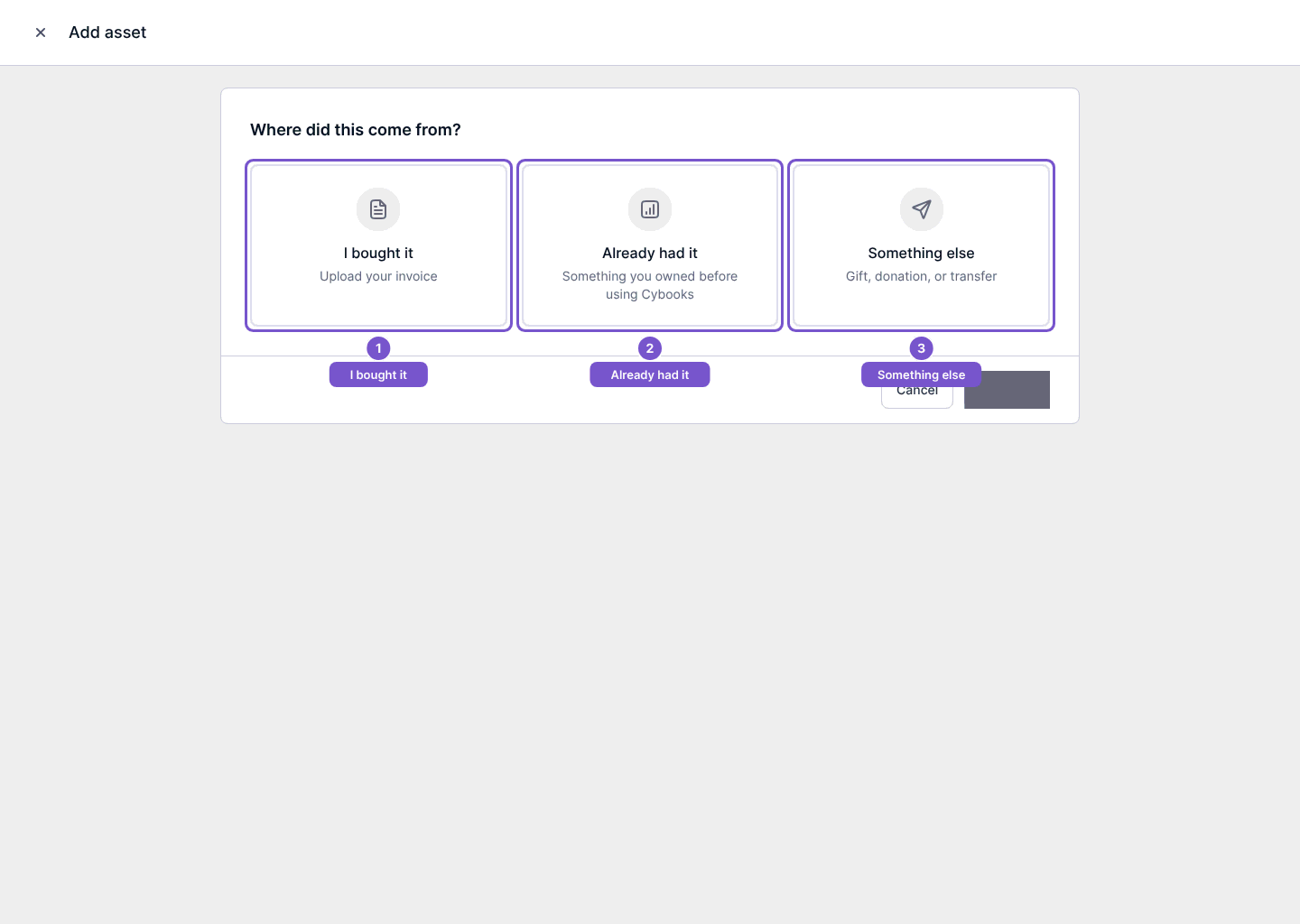
- Review Where did this come from? before choosing a path: I bought it, Already had it, or Something else.
I bought it refers to a purchase; Already had it is for something owned before using Cybooks; Something else covers a gift, donation or transfer. Opening this chooser does not create an asset or a journal.
Inspect an existing record
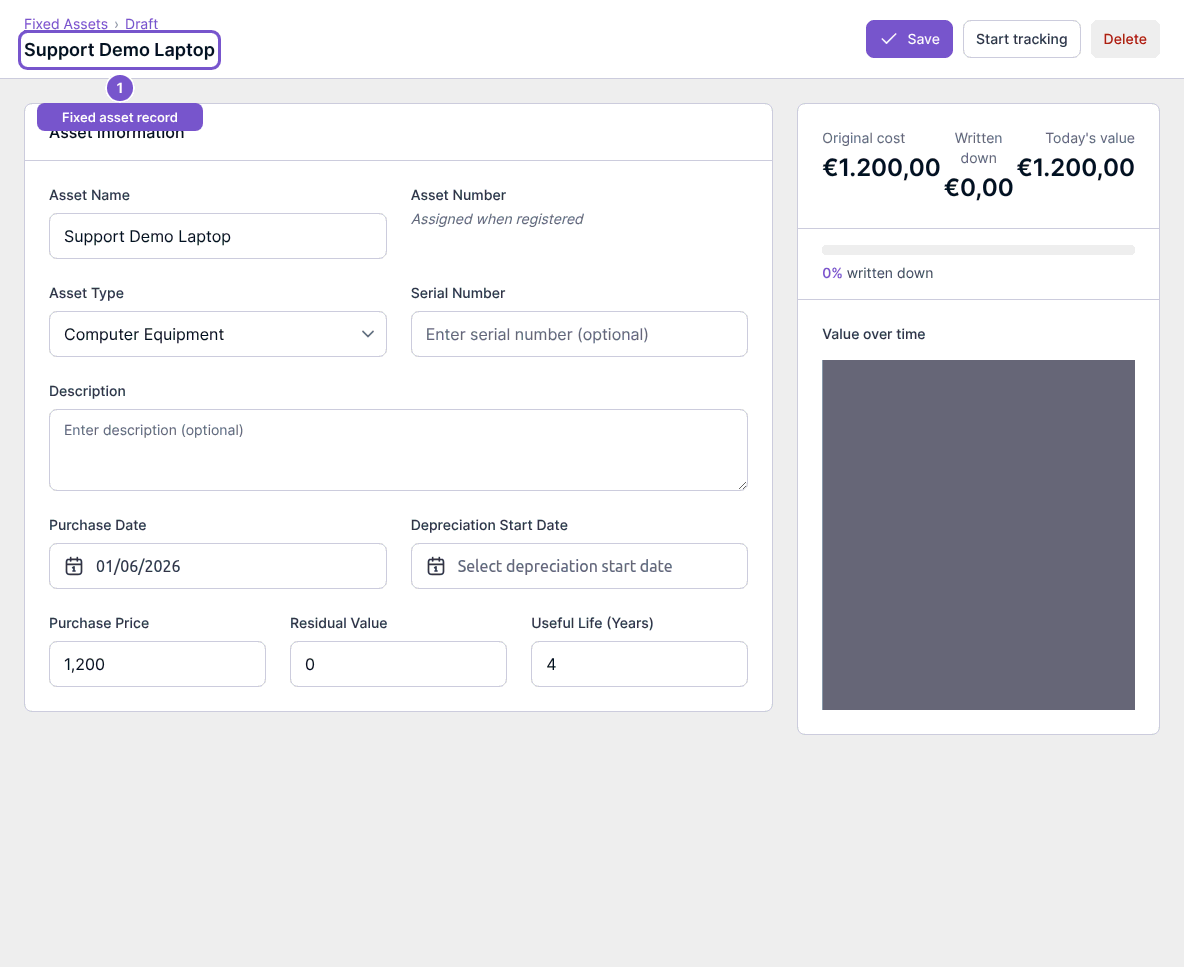
Open the intended asset from the list with update access. Review its asset type, purchase date, purchase price, residual value and useful life, together with the value summary. Save, Start tracking, disposal and deletion are separate actions; merely reviewing the record does not apply them.
Review asset types
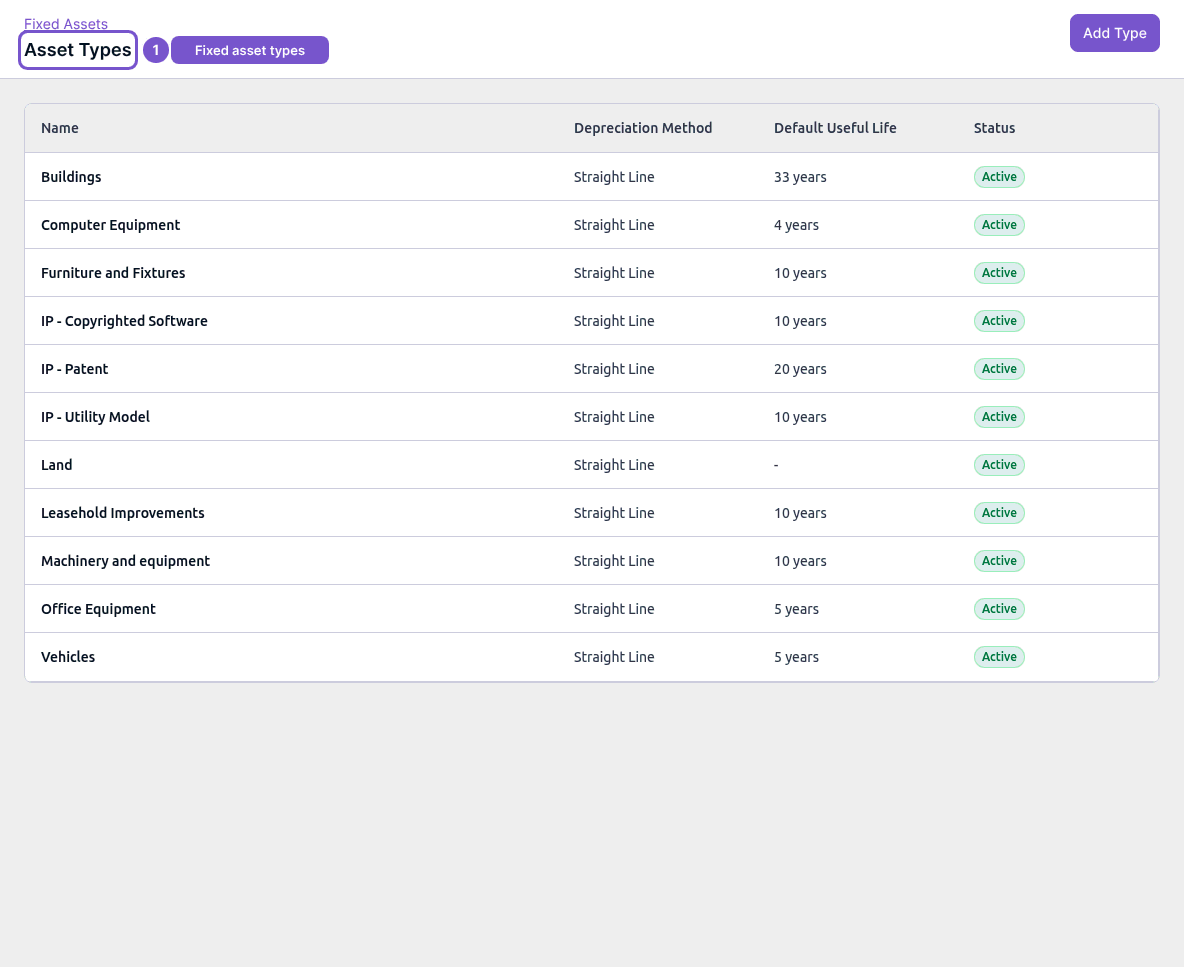
Open Asset Types to review each type's Depreciation Method, Default Useful Life and Status. Type creation and editing have their own access gates. Do not change a type's depreciation settings or account mappings just to make a report agree; confirm the intended treatment with your accountant.
If an action is missing, check the corresponding create or update permission. Viewing fixed assets does not grant every lifecycle action.