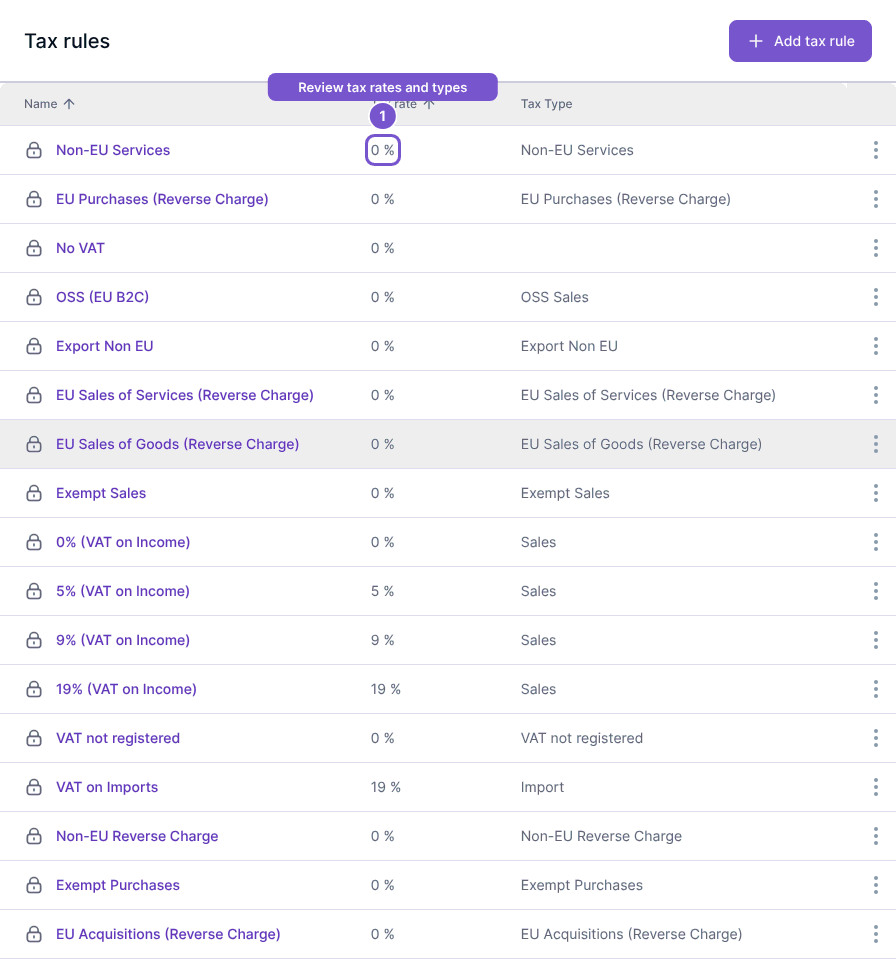
Read the rate shown for a tax rule
The Tax rules list displays each rule’s charged Tax rate alongside its Tax Type.
The Tax rules list displays each rule’s charged Tax rate alongside its Tax Type.
Compare rules
- Open Tax rules in Settings.
- Find the relevant rule by name.
- Read Tax rate together with Tax Type, rather than choosing a rule from the percentage alone.
The list does not show a separate return-calculation rate as another user-visible field. Rules with the same displayed rate can have different tax types. Viewing the list does not change a rule or recalculate a document.