
Set up your company workspace
Review the company form and distinguish workspace setup from Company-in-a-box.
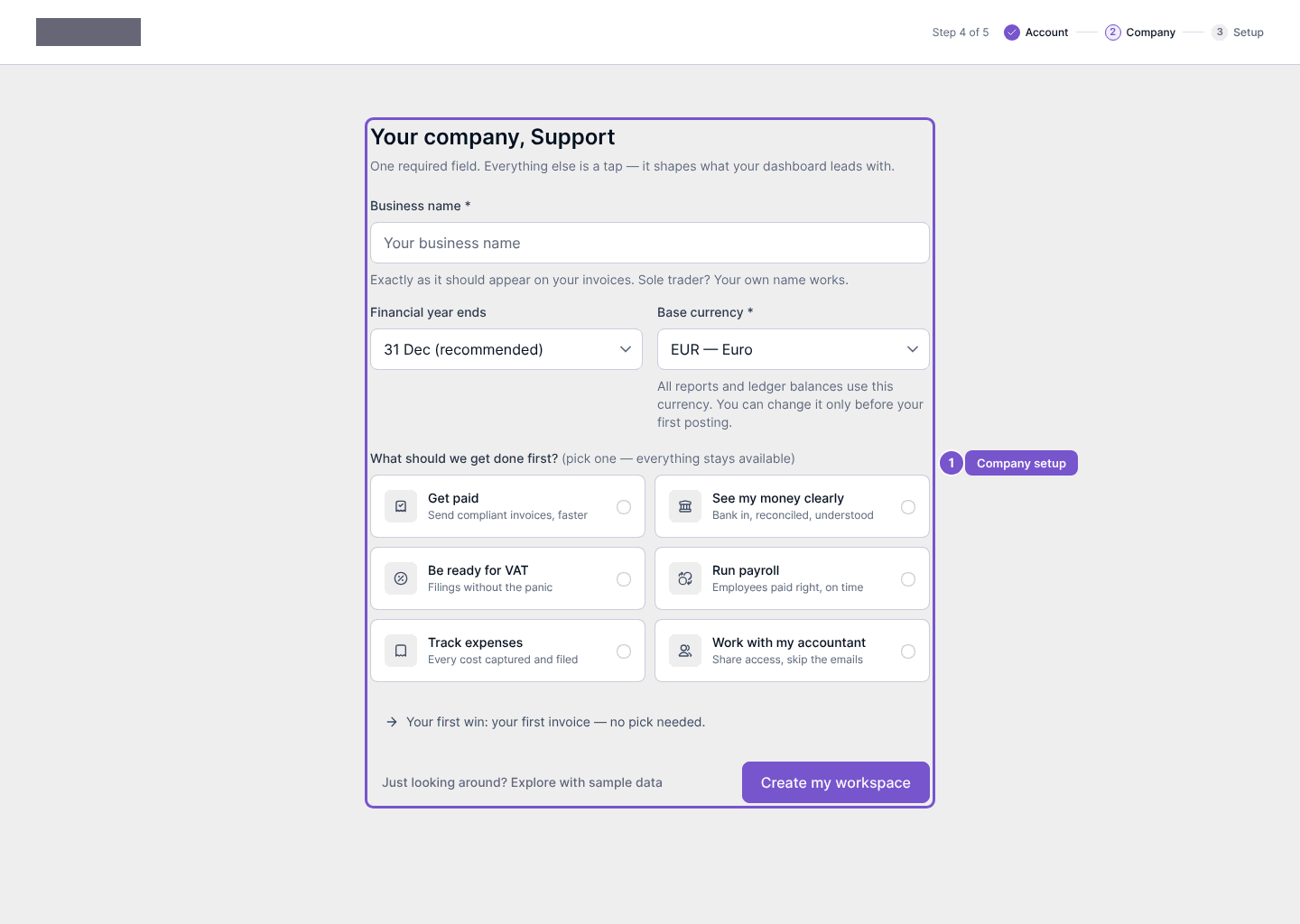
At Your company, enter the business name and review Financial year ends and Base currency. Check these for the business you are adding before continuing.
The form also lets you choose what to work on first, such as getting paid, viewing money, VAT, payroll, expenses or working with an accountant. These choices guide the initial workspace experience.
Select Create my workspace only when the company details are ready. This submits workspace creation; opening or filling the form alone does not create the company. Review any validation or provisioning result before assuming setup has completed.
Company-in-a-box
Company-in-a-box is a separate guided flow. Start with the desired company name and use Continue to proceed through business information, director information, services and payment, followed by the summary.
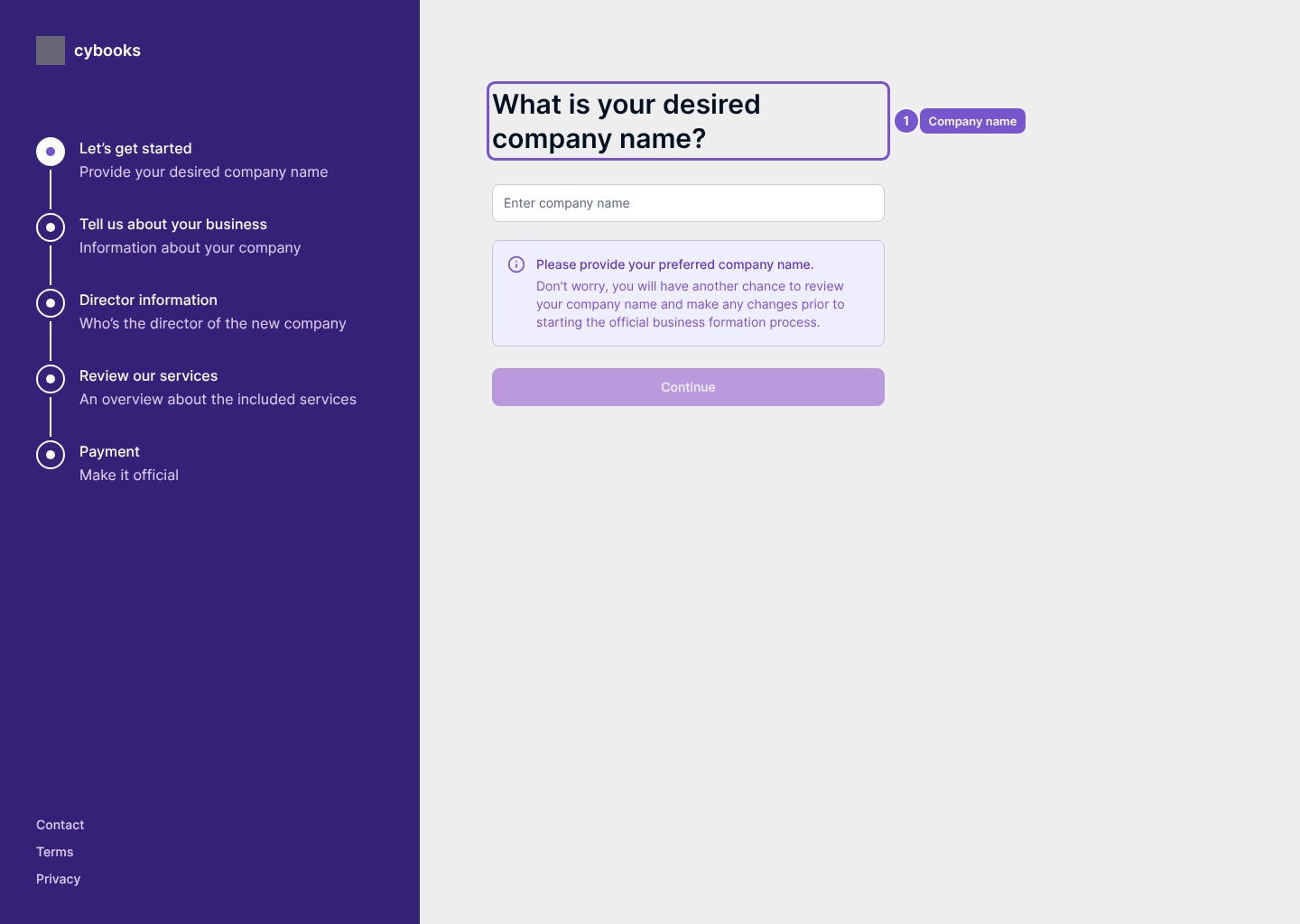
Entering a preferred name or opening a stage does not submit formation details or make a payment. Review the information and the final action at each stage before proceeding.