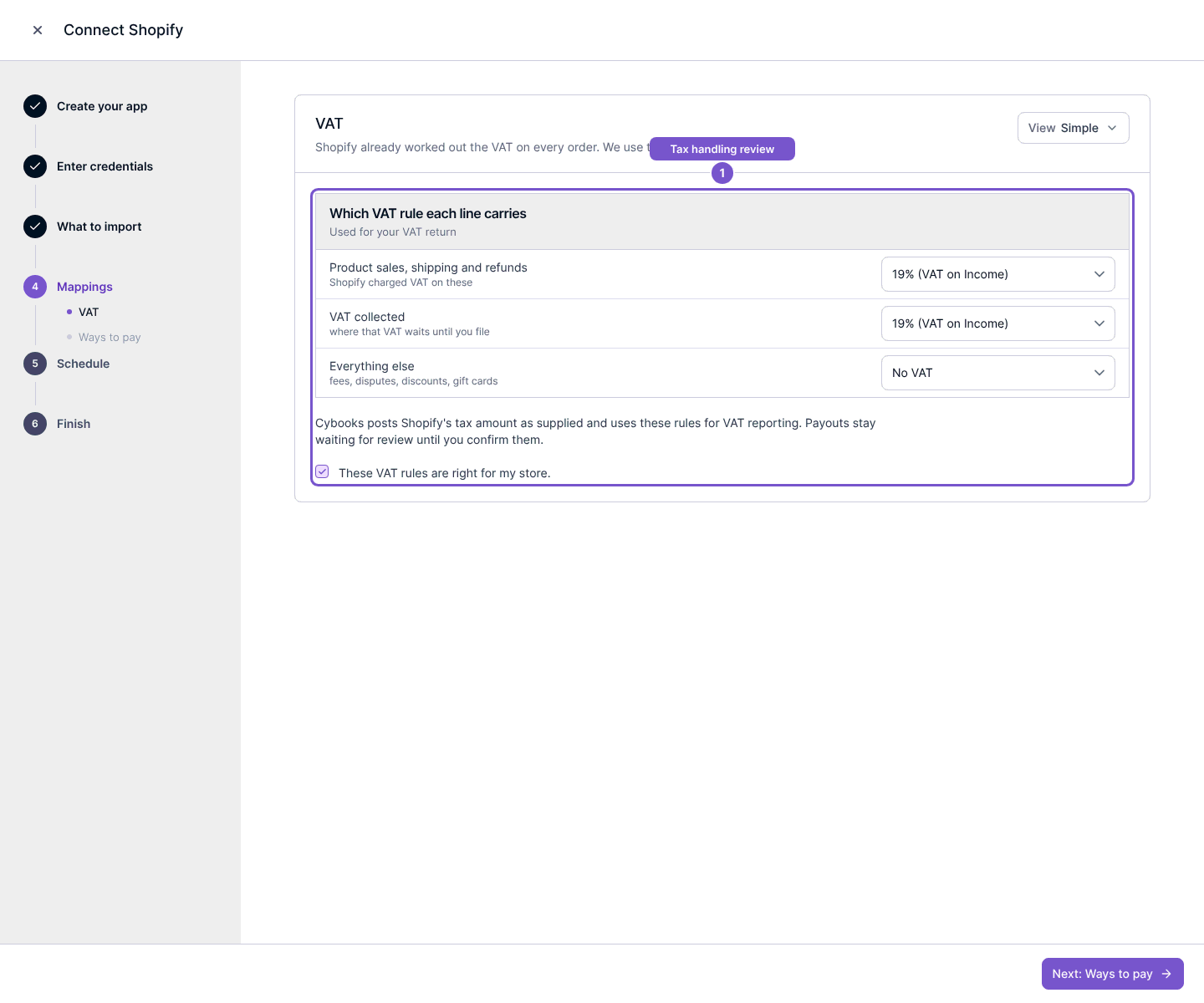
Review Shopify VAT mappings
Confirm the reporting rules used for imported Shopify line types.
Open the Shopify connection, select Review setup, then review VAT in Mappings.
- Inspect the VAT rule assigned to each relevant line type.
- Check that these rules are appropriate for this company and the store activity.
- Select These VAT rules are right for my store only when the review is complete, then continue the setup.
Shopify supplies the tax amounts; Cybooks mappings determine their reporting treatment. The rule shown in an example is not a recommendation for every store. Ask the responsible accountant to resolve uncertain treatment before confirming.
Posting remains blocked until the required account and VAT reviews are complete. Opening this page does not confirm the rules.