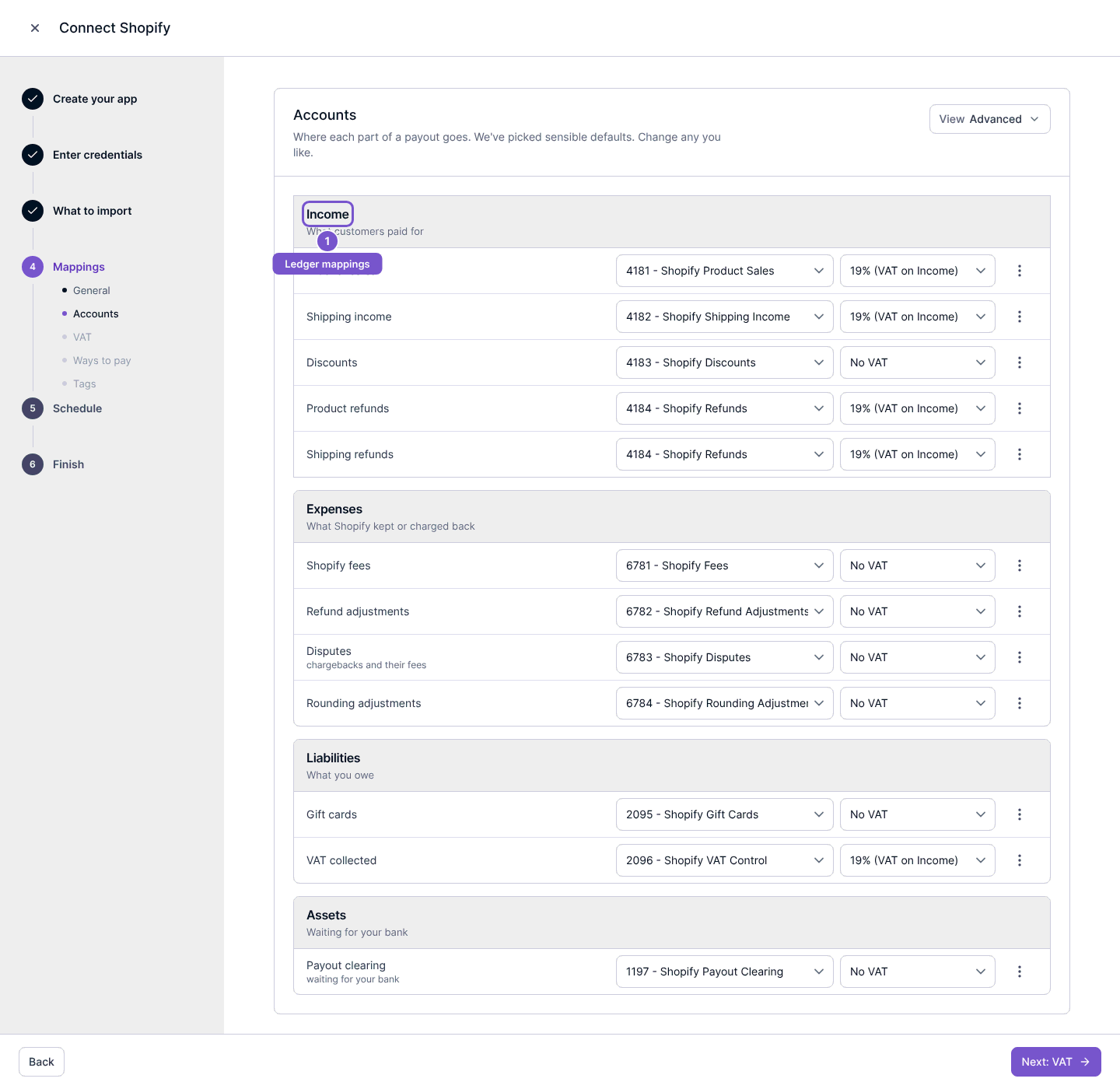
Review Shopify account mappings
Choose the accounting destinations for Shopify import line types.
Open the Shopify connection, select Review setup and go to Mappings. Review Accounts, including the advanced account mappings when needed.
Check the destinations for income, shipping, discounts, refunds, fees, disputes, rounding, gift cards, VAT and clearing amounts shown in the setup. Each line type needs the appropriate account before the review can be completed.
Continue and save only after reviewing the accounts for this company. Merely opening the mappings does not seed or repair accounts. Account review is separate from confirming VAT rules, and completing one does not substitute for the other.