Disconnect Amazon Seller Central
Stop Amazon imports while retaining imported accounting records.
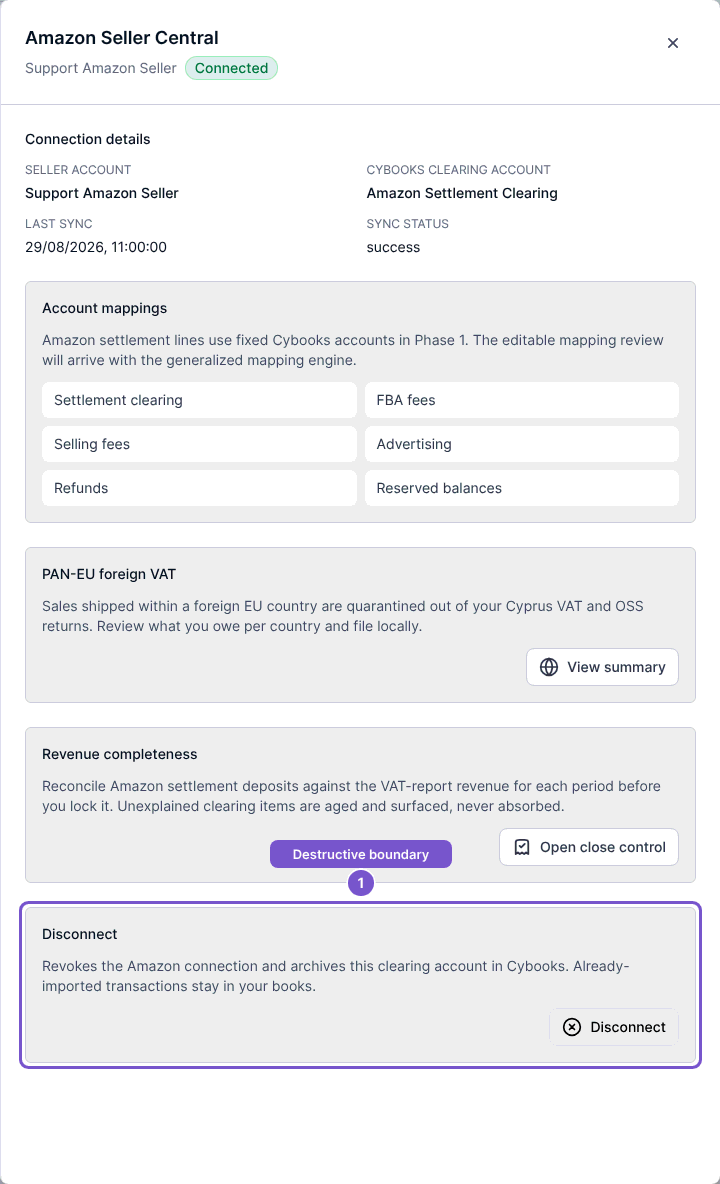
Open Settings, then Integrations, and open the Amazon connection you intend to remove.
- Check the seller account and Cybooks clearing account.
- Read the Disconnect section before acting.
- Select Disconnect only when you intend to revoke the connection.
- Review the result before treating the account as disconnected.
The Disconnect button submits the action directly. Disconnecting revokes access and archives the clearing account. Previously imported transactions remain in Cybooks. An error means you should check the connection state before assuming future imports have stopped.