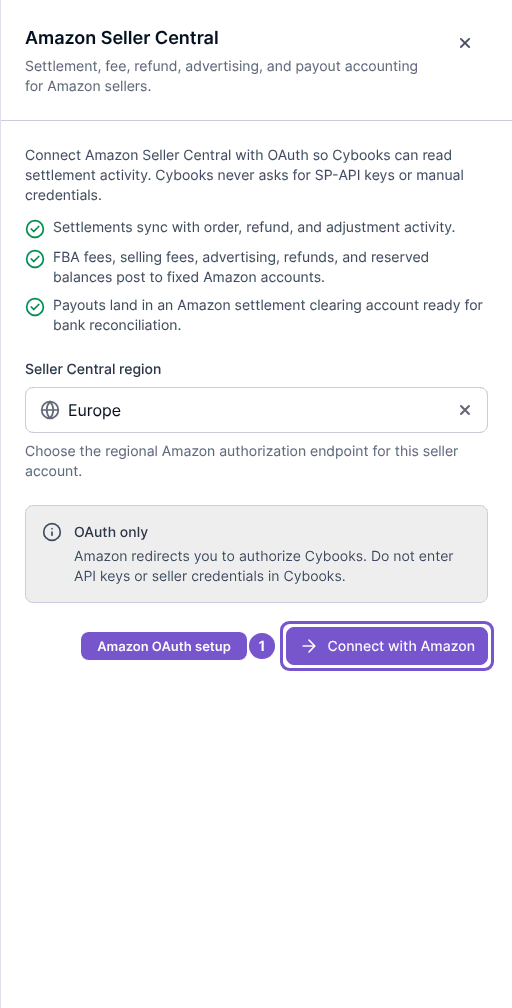
Connect Amazon Seller Central
Authorize Amazon to import into the selected Cybooks company.
Open Settings, then Integrations, and choose Amazon Seller Central.
- Check that you are in the correct Cybooks company.
- Select the Amazon region for your seller account.
- Select Connect with Amazon and complete Amazon's authorization screens.
- Return to Cybooks and review the connection result.
Authorization happens with Amazon; this form does not ask you to paste selling partner API keys. Declining authorization leaves the connection uncreated. If authorization fails, review the error and restart the connection from the correct company.