
Review dividends and start a declaration
Find dividend records and inspect the first declaration step.
Open Dividends to review the company's declarations. Use an existing record to inspect its details when declarations are present.

Inspect a new declaration
- Select Declare a dividend if you have create access.
- Review the first step, What kind of dividend, and from which year's profit?
- Check the Interim or Final selection, profit year, declaration date and payment date before continuing.
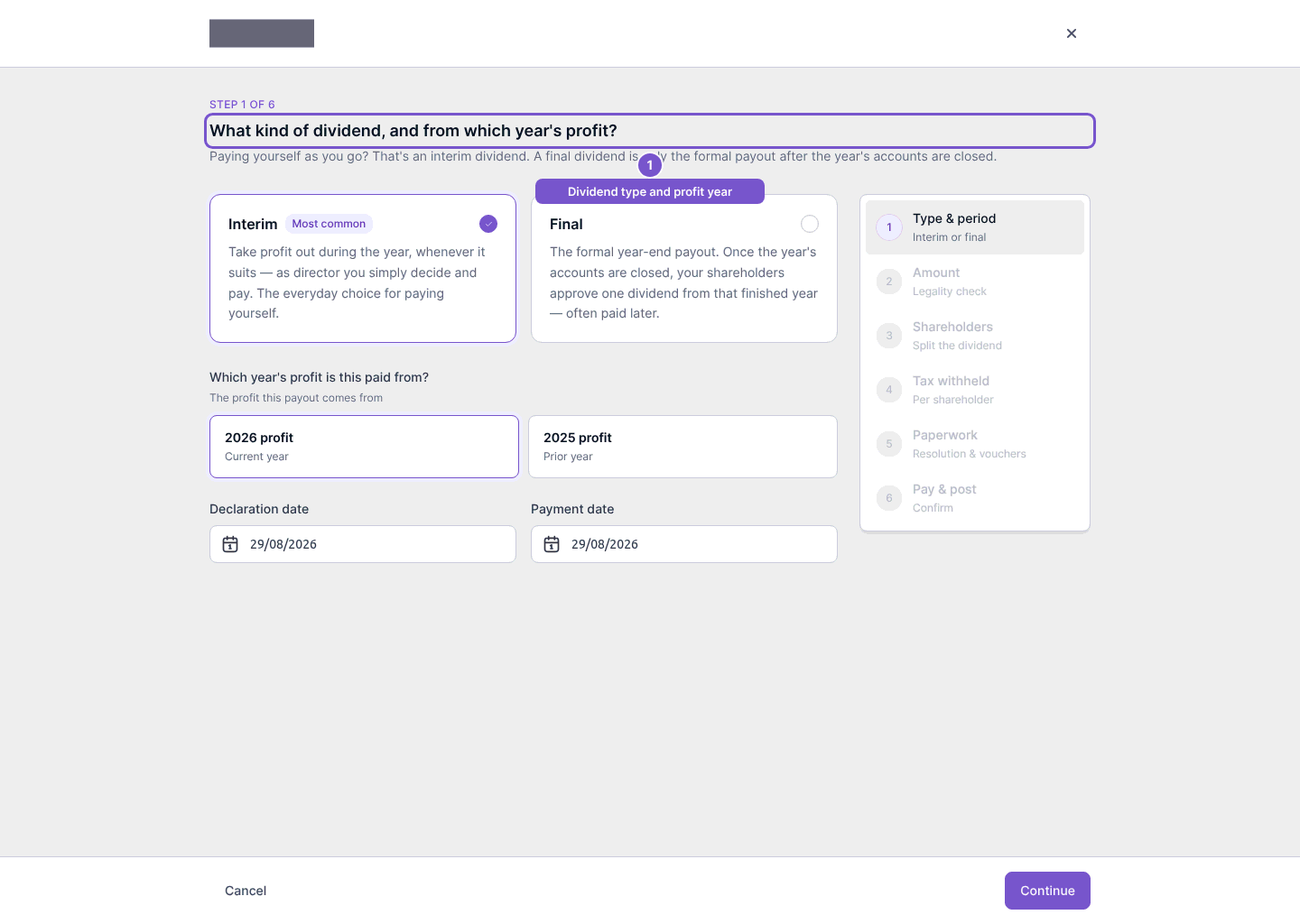
The first step is preparation. Opening it and reading the distributable-profit preview do not declare, pay or post a dividend. Review the remaining declaration steps and the company's accounting position before any final submission. An amendment is a separate permission-gated workflow.