
Undo a reconciled bank transaction
Review the removal confirmation before reversing a bank booking.
Undoing reconciliation changes a booking; it is separate from merely opening the transaction.
Review and undo
- Open the bank account and select Reconciled.
- Open the relevant transaction and choose its remove-and-undo action.
- Read the Remove transaction confirmation and check that you selected the correct transaction.
- Select Yes, remove only when you intend to reverse it. Select Cancel to keep it unchanged.
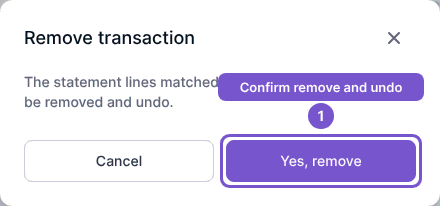
The service checks accounting restrictions before reversing the booking. A closed-period or other guard may refuse the action, so review the result before treating the reconciliation as undone.