Restore PayPal access or request a full re-sync
Check PayPal connection health and use recovery controls for the same merchant account.
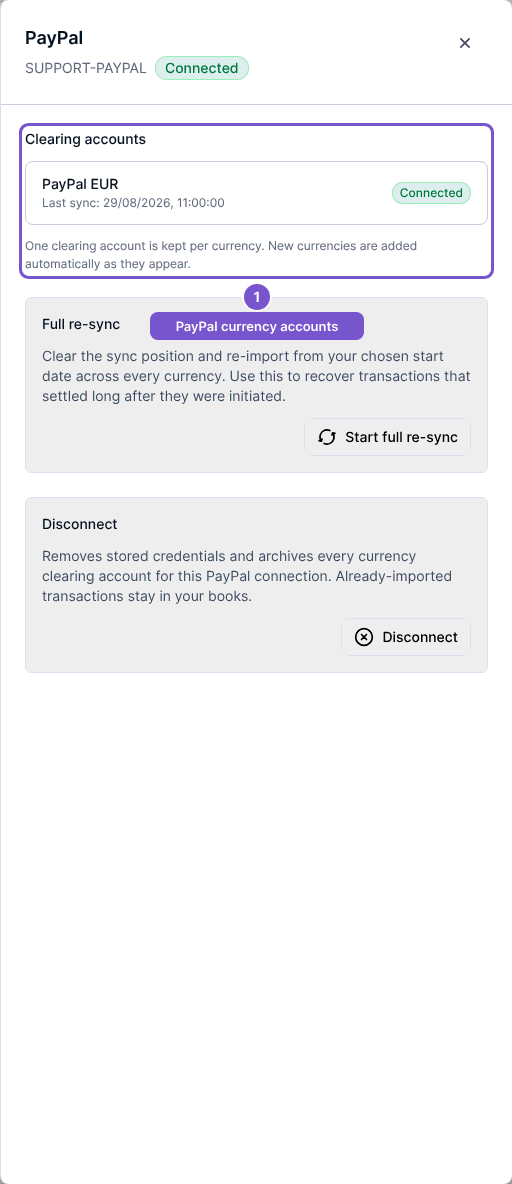
Open Settings, then Integrations, and open your PayPal connection. The panel shows its status and one clearing account per currency, each with a last-sync value.
Reconnect when credentials stop working
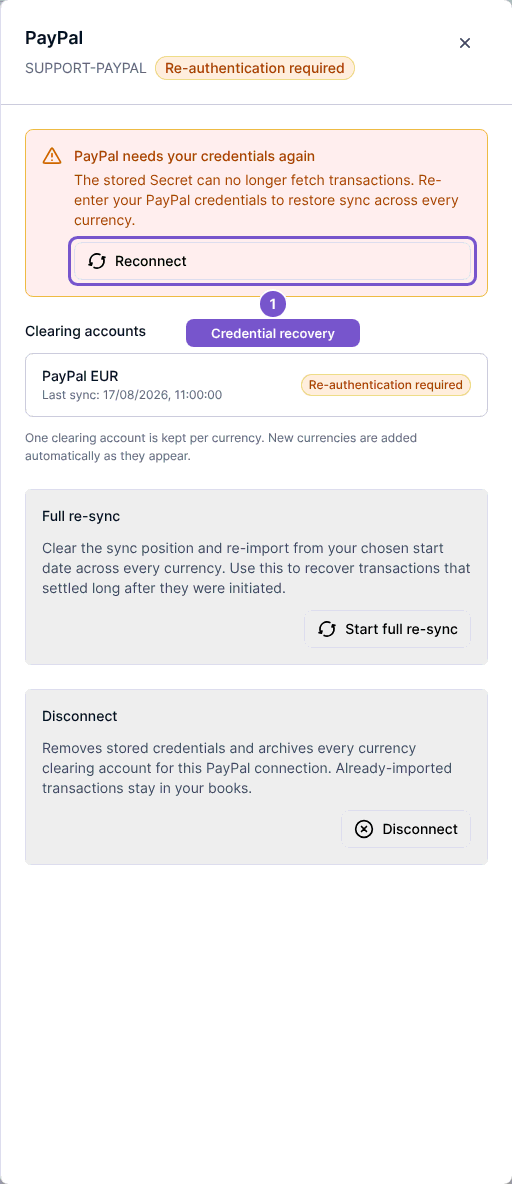
- If Re-authentication required appears, select Reconnect.
- Enter the replacement Client ID and Client Secret for the same PayPal merchant.
- Select Reconnect and wait for the result.
A successful reconnect updates the shared credentials across the currency accounts without replacing those accounts. Credentials for a different PayPal account are refused. If Transaction Search is unavailable, correct the app's access before retrying.
Request a full re-sync
For a healthy connection, review the Clearing accounts list, then select Start full re-sync. This clears eligible accounts' sync positions and queues re-import from the chosen start date. Accounts already syncing or no longer eligible may be skipped; check the result rather than assuming every currency restarted.