
Manage a bank account and its connection
Edit allowed account details, request a refresh or restore an expired connection.
Open the account from Bank Accounts to find its details and connection controls.
Edit account details
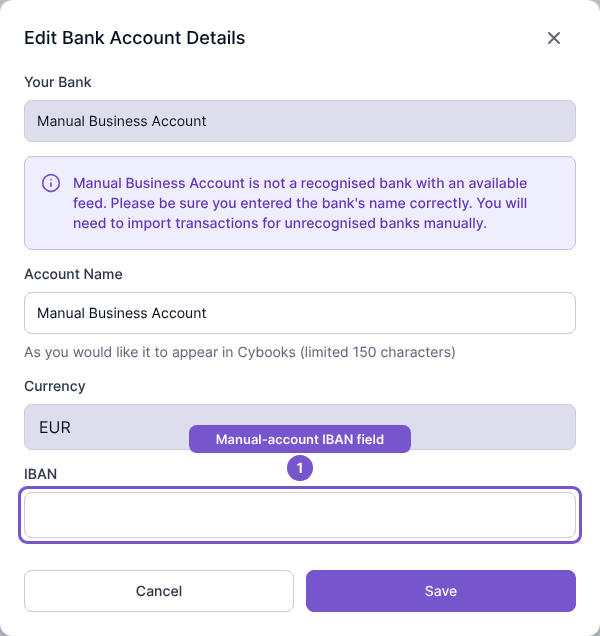
- Open Manage account and select Edit account details.
- Update the Account Name as needed.
- For a manual account without a connector, review or enter its IBAN.
- Select Save to submit the change, or Cancel to leave the details unchanged.
The bank and currency are disabled in this form. The IBAN field is available only for accounts without a connector.
Request a refresh
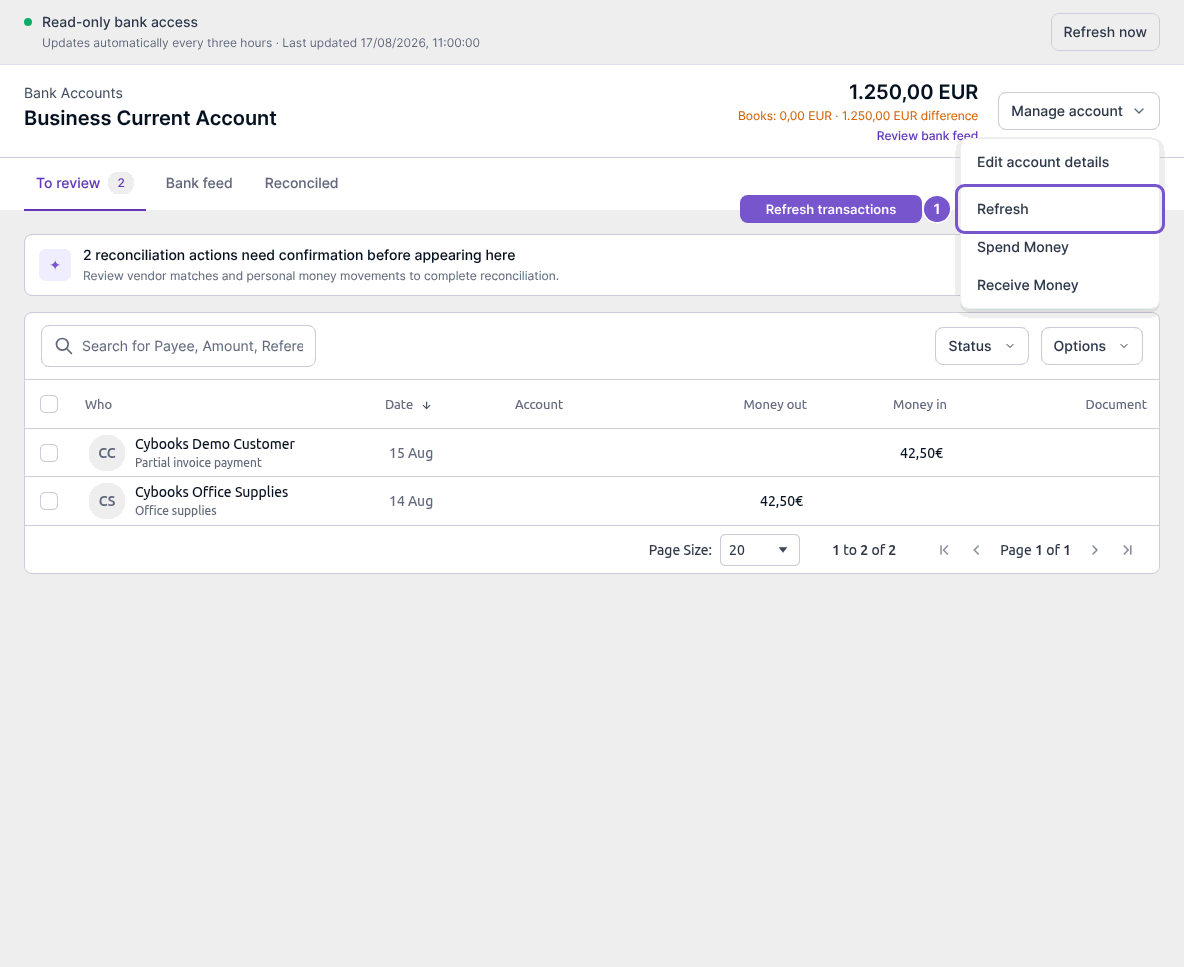
For an online account, select Refresh from Manage account, or Refresh now in the feed-status banner. Cybooks queues an update for the selected account. Completion depends on the provider; acceptance of the request is not confirmation that every missing transaction has arrived.
Restore access
When a connection is expired or needs authorization, select Connect now and follow the provider's reconnect process. Reconnection restores the existing account instead of creating a duplicate. Expired, revoked and failed connections do not keep refreshing automatically.
