
Resolve statement upload and import errors
Use upload errors, duplicate review and run status to identify what needs attention.
Use the message for the stage that failed. An upload error and a completed run with failed rows require different follow-up.
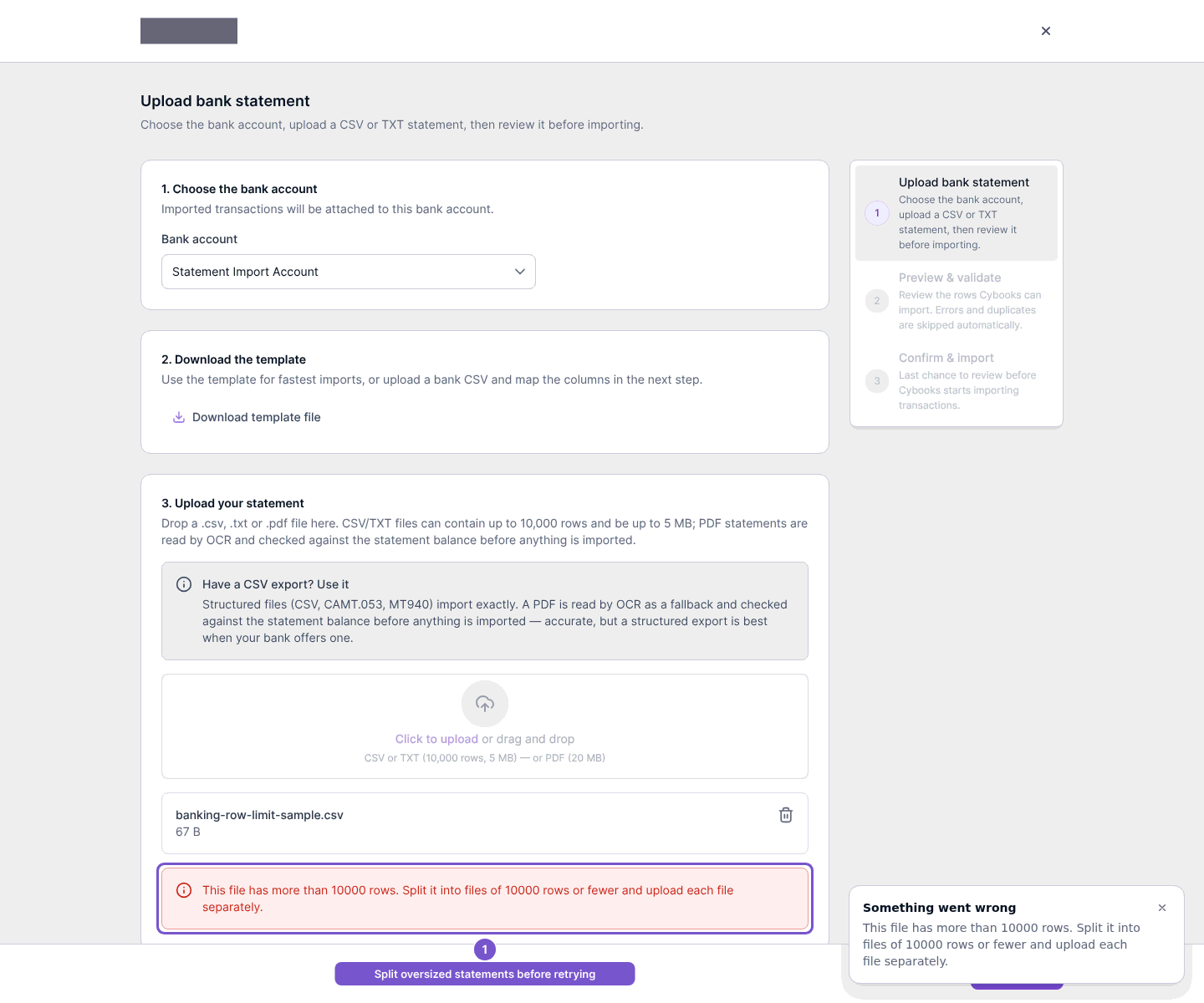
If a file will not upload
Read the upload error. For the row-limit message, split the statement into files of 10,000 rows or fewer and upload each separately. For another upload failure, check the supported file guidance shown on the upload screen before trying again.
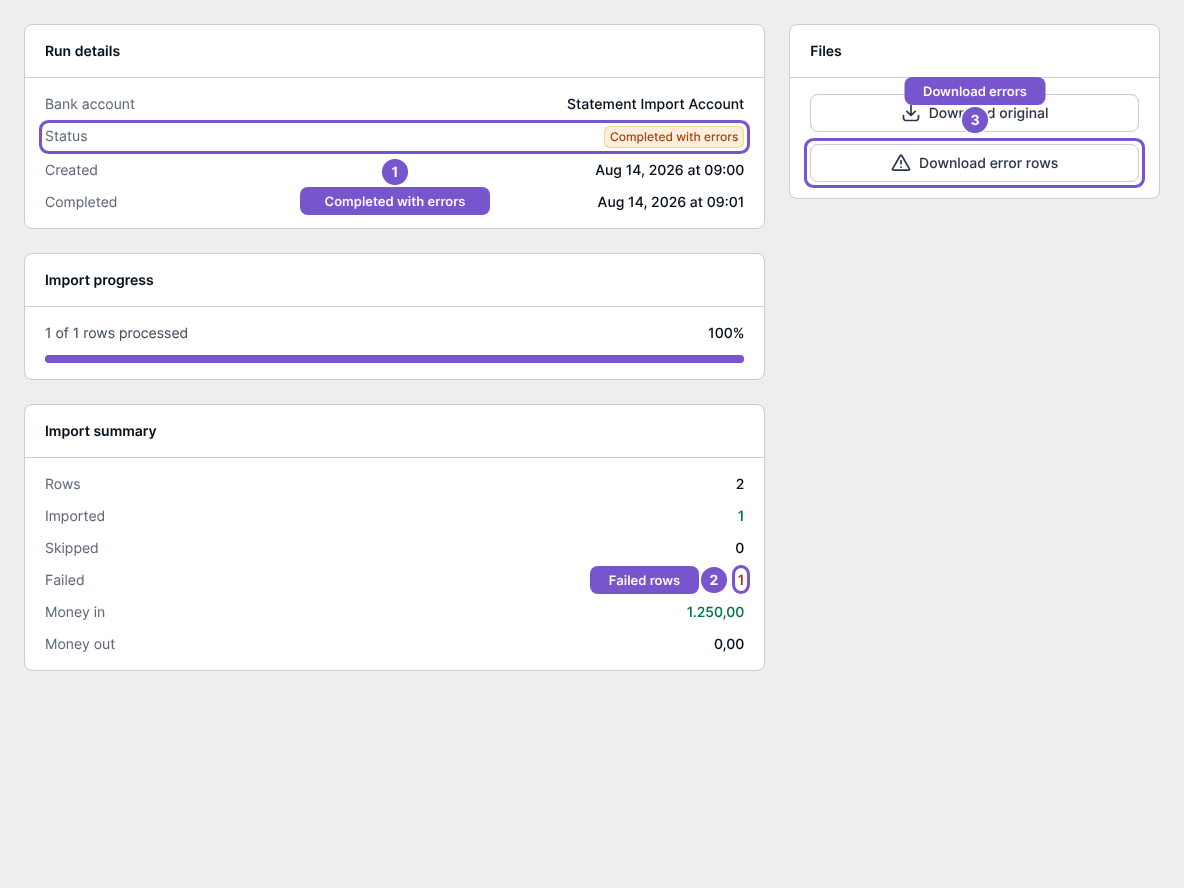
If a run completed with errors
Open the run from statement import history. Check its Status and compare Imported, Skipped and Failed in the summary. Completed with errors means the run is not a wholly successful import; use Download error rows when available to inspect the failed rows.
If rows are duplicates
Review the Duplicates tab before the final import. Detected duplicates are skipped by default; an import-anyway choice is an explicit override, not a repair for a failed upload.
If a duplicate is already in Bank feed, deleting it needs separate access and confirmation. A reconciled or journal-backed line cannot be removed through this cleanup action and remains unchanged.