
Choose a bank feed or statement import
Choose how bank transactions enter Cybooks and understand feed refresh timing.
A bank feed and a statement upload are separate ways to bring bank transactions into Cybooks.
Choose the entry point
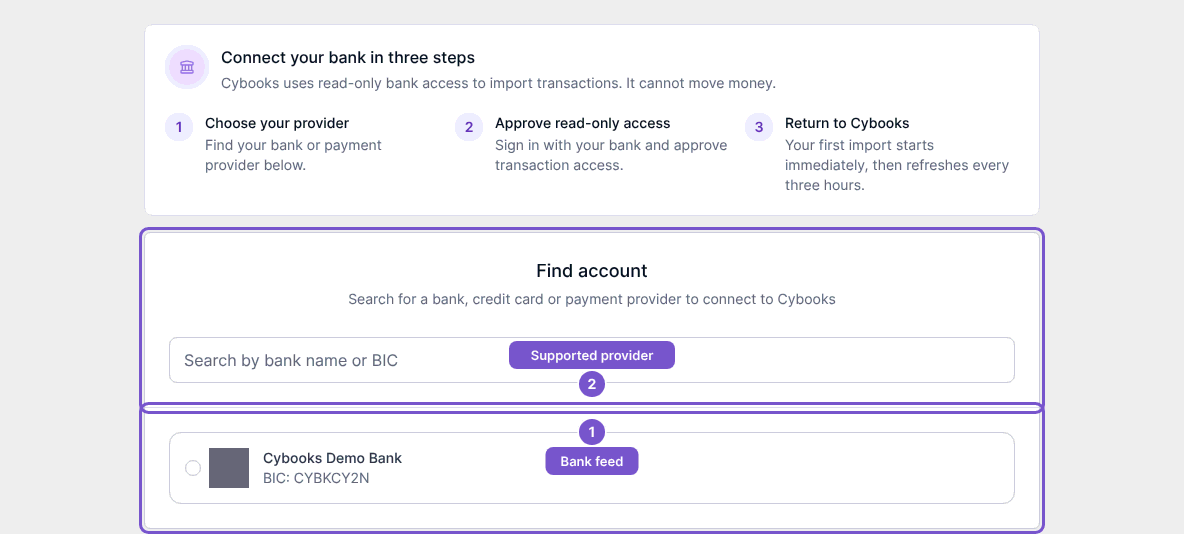
- For a supported feed, open the add-bank-account flow and search for your bank or payment provider. Continue through its authorization process when you are ready to connect.
- For a statement file, open Upload bank statement and select the account that should receive its transactions. The upload is reviewed before the final import action.
Understand feed freshness
Connected bank feeds use read-only access. Cybooks schedules updates every three hours and shows when the feed was last updated. Refresh now requests another update when you have the required access; it queues work and does not guarantee when the bank will supply missing transactions.
