
Disconnect PayPal
Remove a PayPal connection while retaining its imported transactions.
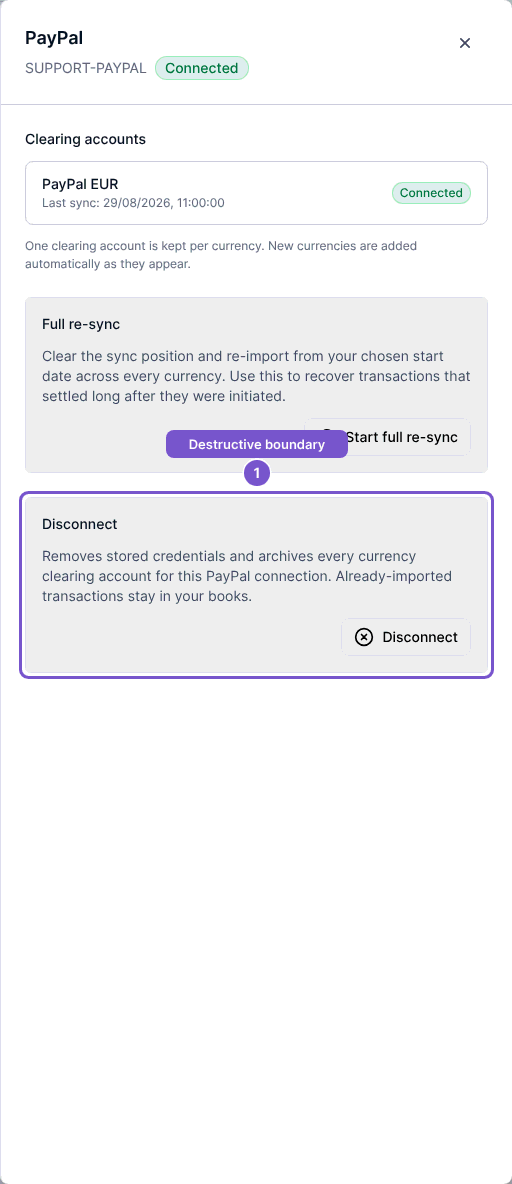
Disconnect applies to the PayPal connection and all of its currency clearing accounts. It removes the stored credentials and archives those accounts; already imported transactions stay in your books.
Disconnect the connection
- Open Settings, then Integrations, and open the connected PayPal account.
- Review the Clearing accounts list to identify the currencies affected.
- In Disconnect, read the explanation and select Disconnect.
- Review the confirmation before accepting it. Close or cancel the confirmation if you want to keep the connection.
Wait for the result before assuming the connection has been removed. A failed request is reported as an error.