
Prepare a PayPal connection
Review the merchant app, credentials and import choices in the PayPal wizard.
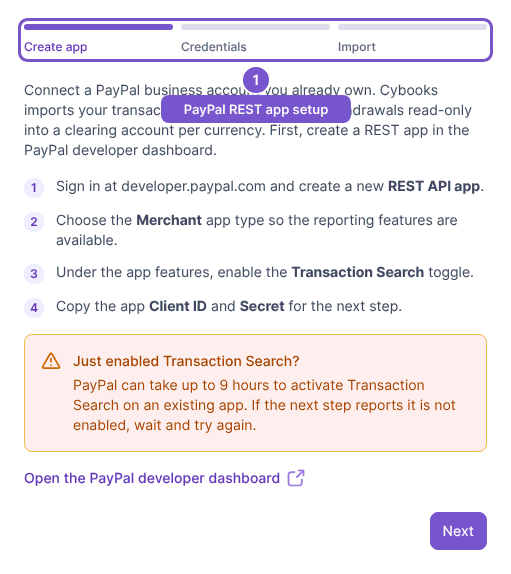
Open Settings, then Integrations, and choose Connect PayPal. The wizard has Create app, Credentials and Import steps.
- In Create app, review the instructions for a merchant REST app with Transaction Search enabled. Obtain its Client ID and Secret from the PayPal developer dashboard.
- Choose Next and enter those values in Credentials. Both values are required to continue.
- In Import, review the import start date and fallback currency. Keep the start date within the supported three-year window and no later than today.
- Review the details before choosing Connect PayPal.
Opening the wizard does not connect PayPal. On submission, Cybooks validates the credentials before creating clearing accounts for the returned currencies. The secret is not stored as plain text.
If the wizard reports an incorrect Client ID or Secret, check the values from the intended merchant app. If Transaction Search is not enabled or has not finished propagating, enable it and allow the change to take effect before trying again. An already-connected message means you should review the existing connection instead of creating another one.