
Sign in to Cybooks
Use your password, Google sign-in or a registered passkey to access your account.
Open the Cybooks sign-in page for your account.
- Enter your Email and Password.
- Choose Sign in to submit your credentials.
- Complete any further account verification requested by the sign-in flow.
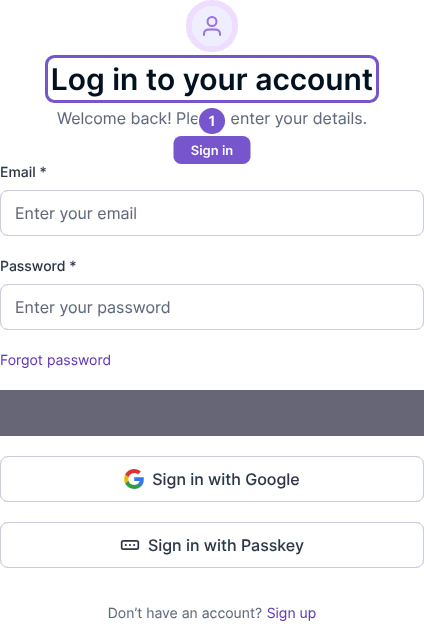
Use the Google sign-in option when that is your account's sign-in method. Use Sign in with passkey with a registered passkey and complete the browser or device prompt. Opening the page or selecting a method does not by itself establish a signed-in session.
If you have forgotten your password, choose Forgot password?. If you were invited to a company, check the invited email address and use that account; signing in to an unrelated account does not give it the invitation's access.