
Sign in from a company invitation
Review the invited email address before accepting access through sign-in.
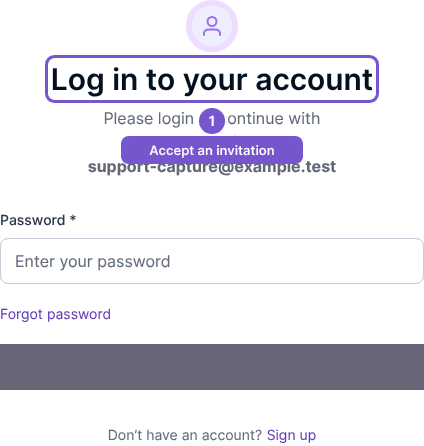
Open the current invitation link supplied by the company administrator. The invitation sign-in page identifies the invited email address.
- Confirm that the displayed address is yours and belongs to the account you intend to use.
- Enter that account's password.
- Choose Sign in to submit the invitation sign-in form. Use Forgot password? if you need to recover the invited account's password.
Opening the link alone does not sign you in or grant company access. If the invitation belongs to another email address, ask the administrator for an invitation to the correct address. If the link was cancelled or replaced, use the current invitation rather than an older message.